
We’ve been shipping fast. If you blinked, you might have missed a few things — so here’s a full breakdown of the new photography styles, accessories, atmospheres, and more now available inside Studio Lumiere.
Whether you’re a jeweler shooting your first campaign or a brand scaling content across dozens of SKUs, these features give you creative control that didn’t exist before. No studio. No photographer. Just your jewelry and your vision.
8 Atmospheres to Set the Mood
Every image you generate in Studio Lumiere starts with an atmosphere. Atmospheres control the lighting, color grade, and overall feel of the shot — think of them as cinematic filters baked directly into the AI prompt. They’re the fastest way to define the emotional tone of your jewelry photography without touching a single light.
Here’s what’s available:
- Golden Hour — Warm natural sunlight, soft shadows, shot on Kodak Portra 400. The go-to for timeless, organic warmth.
- Moody Chic — Dramatic shadows and high contrast. Vogue editorial energy with sharp focus.
- Clean Minimal — Bright, evenly lit, Scandinavian minimalism. Airy and modern.
- Romantic — Pastel tones, window light, shallow depth of field at f/1.8. Feminine and delicate.
- Editorial Flash — Hard direct flash with sharp highlights and distinct shadows. High-energy 90s fashion aesthetic.
- Analog Dream — Vintage 35mm film with light leaks, rich saturated colors, and authentic grain. Shot on Kodak Ektar 100 for that nostalgic, warm feel.
- Midnight Glamour — Deep moody tones with a single dramatic spotlight cutting through darkness. Luxurious and intense.
- Sun-Drenched — Bright diffused daylight with overexposed highlights. High-end magazine cover energy.
Analog Dream and Midnight Glamour have quickly become two of the most popular atmospheres. They create a mood that’s nearly impossible to replicate with traditional product photography — the kind of look that normally requires a professional lighting setup and hours of post-production.
7 Photography Styles Inspired by the Greats
While atmospheres shape the mood, photography styles shape the artistic direction. Each style in Studio Lumiere is modeled after a real photographic school of thought, drawing from the techniques of iconic fashion and fine-art photographers. You can combine any photography style with any atmosphere, which means the number of unique visual combinations is enormous.
- Ethereal Dream — Soft-focus, painterly textures, impressionist tones. Inspired by Sarah Moon and Paolo Roversi.
- High-Flash Raw — Direct flash, punchy highlights, gritty editorial energy. The Juergen Teller look.
- Modern Edge — Bold contrast, sharp angles, fashion-forward tension. Think Helmut Newton meets Steven Klein.
- Chromatic Gel — Color-gel lighting with bold casts and nightclub editorial edge. Channeling David LaChapelle and Nadia Lee Cohen.
- Acid Infrared — Extreme false-color shifts, thermal aesthetics, psychedelic saturation. Inspired by Richard Mosse’s infrared work.
- Cyber-Grit Noir — High-contrast grain, light trails, chaotic digital distortion. The Daido Moriyama school of visual disruption.
- Cinematic Editorial — Filmic tone, rich depth, anamorphic lens flares. Nick Knight and Craig McDean territory.
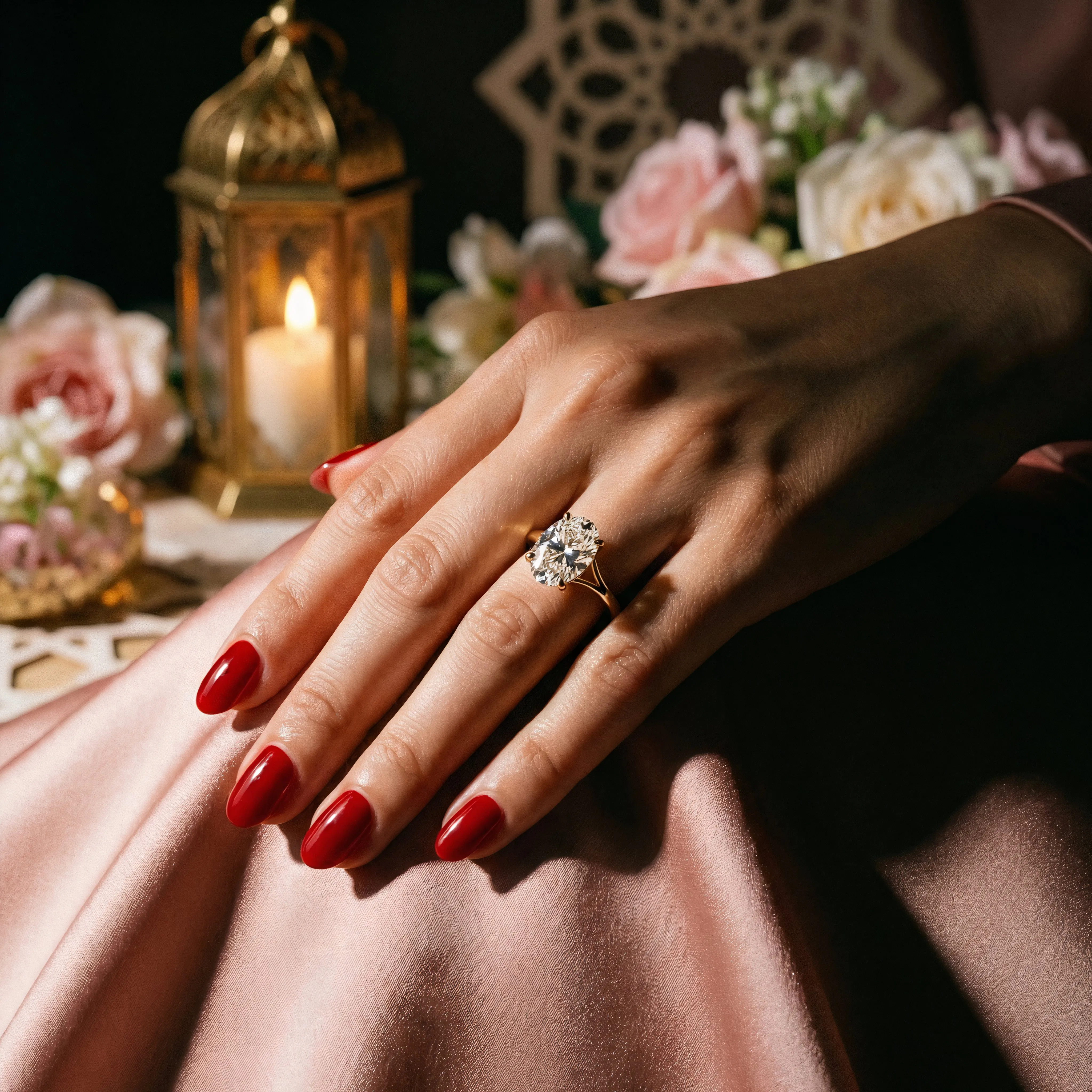
Modern Edge in action — bold contrast, sharp angles, and fashion-forward tension. Generated entirely with AI.
These styles stack on top of your chosen atmosphere, giving you precise creative control without needing to describe anything manually. The result is consistent, high-quality imagery that feels like it came from a professional shoot — because the AI is trained on the same visual language these photographers pioneered.
11 Editorial Accessories
Our Editorial Muse template — the full fashion-editorial shooting mode — now supports accessories. These are optional styling additions that elevate the image from a simple product shot to a campaign-ready visual. Accessories matter because they add context and narrative to your jewelry, helping customers imagine the piece as part of a complete look.
- Tinted Sunglasses — Refined lenses, translucent enough to see the model’s eyes. Bold and editorial.
- Silk Scarf — Styled at the neck or in the hair.
- Silk Headband — Clean hair wrap with refined styling.
- Sheer Gloves — Mesh or fingerless, editorial edge while keeping rings and bracelets visible.
- Statement Belt — Bold waist cinch for a polished, fashion-forward silhouette.
- Silk Bandana — Head wrap or tied at the neck.
- Silk Necktie — Sleek ribbon tie at the collar.
- Hair Clip — Sleek barrette with clean styling.
- Beret — Structured, angled back so the face stays visible.
- Wide-Brim Hat — Tilted back to keep eyes and face in frame.
- Leather Gloves — Tailored fit, with jewelry still visible.
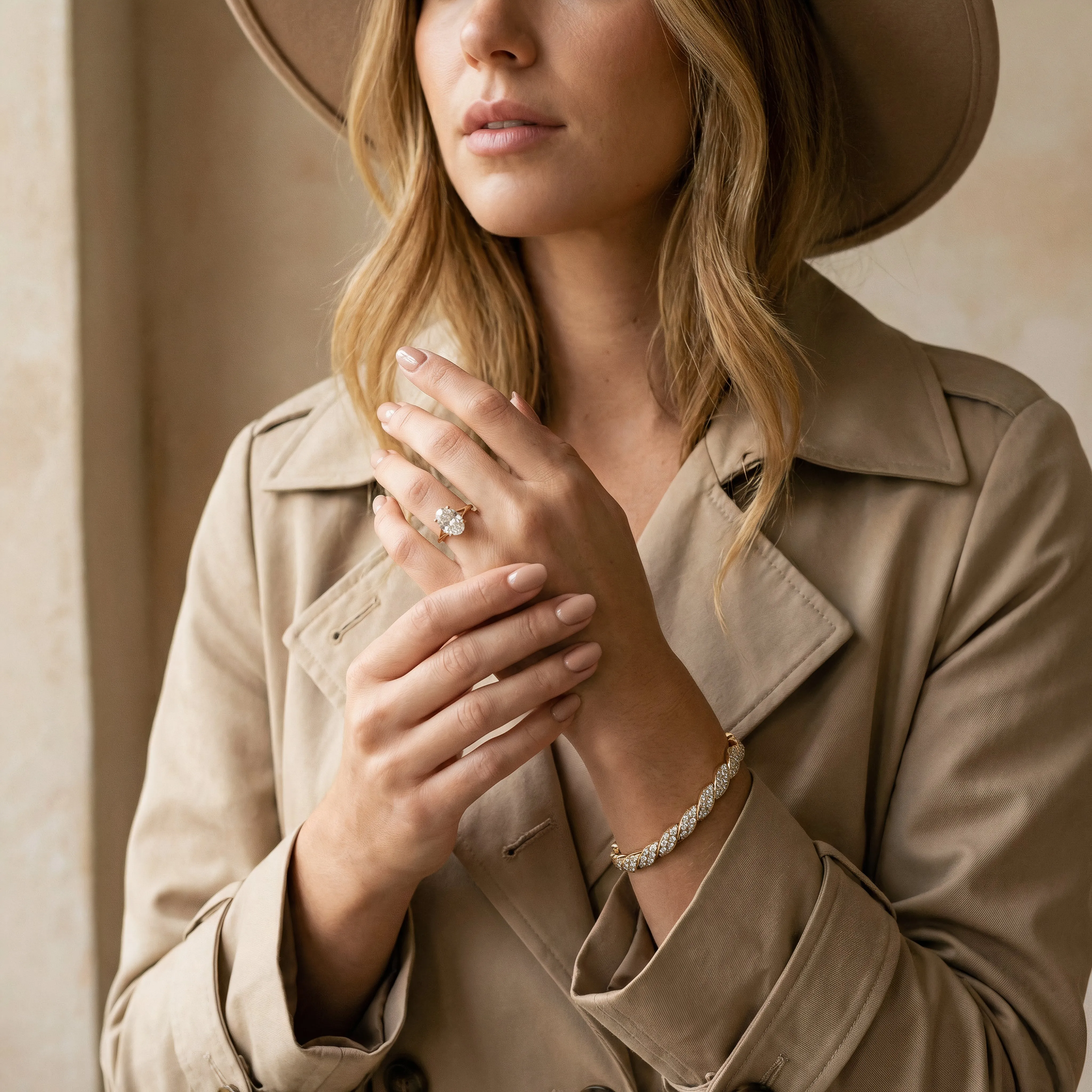
Wide-Brim Hat paired with a Tailored Trench. The accessory frames the shot without competing with the jewelry.
Every accessory is designed to complement the jewelry — never compete with it. They’re especially effective when paired with the photography styles above, letting you create editorial images that rival what you’d see in a fashion magazine.
8 Shooting Templates
Templates control the camera angle, composition, and context of the shot. Choosing the right template is the first decision you make inside Studio Lumiere, and it determines everything from framing to the level of customization available. Some templates use AI-generated models to show jewelry as it would actually be worn, while others focus on the product alone in carefully styled scenes.
With a Model
- Hand Model — Close-up on a model’s hand. Ideal for rings and bracelets. Customizable nail polish color.
- Neckline Portrait — Collarbone-focused portrait for necklaces and pendants. Wardrobe and makeup options included.
- Ear Detail — Side profile highlighting earrings. Choose hairstyle and makeup level.
- The Editorial Muse — Full waist-up fashion editorial. The most customizable template with outfit, pose, accessories, nail polish, and makeup selectors.
The model-based templates are where Studio Lumiere really shines. Instead of hiring a model, booking a studio, and managing a shoot, you configure the look you want and generate it in seconds. The AI handles skin texture, lighting falloff, and fabric drape with photographic realism.
Product Only
- Creative Flatlay — Artistic top-down arrangement on textured surfaces like marble, slate, velvet, or aged wood.
- Floating Minimalist — Jewelry suspended mid-air with dramatic lighting. Clean, modern, striking.
- Romance & Proposal — Emotional engagement ring scenes. Settings range from candlelit restaurants to rooftop city views.
- Romantic Mood — Jewelry styled with props like rose petals, candlelight, love letters, or silk and lace.
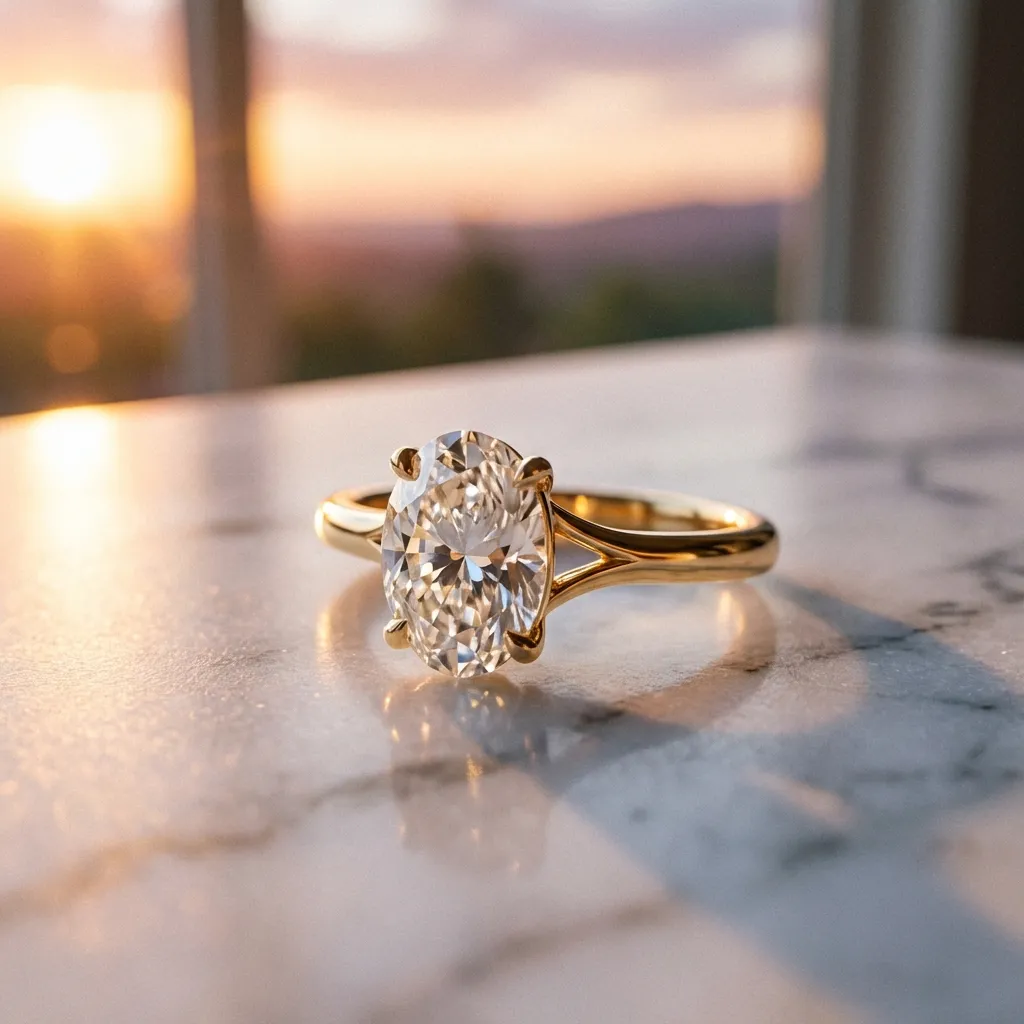
Creative Flatlay meets Golden Hour. Marble surface, warm natural light, zero setup time.
Product-only templates are perfect for catalog imagery, social media content, and e-commerce listings where the jewelry needs to speak for itself. They give you the kind of styled product photography that would normally require a prop stylist and a dedicated studio day.
Backgrounds, Occasions, and More
Beyond the core features, Studio Lumiere offers a deep set of customization options that let you tailor every image to your brand, your audience, and your market. Here’s what else you can control:
- Background settings — Choose between studio flats, luxury interiors (Parisian apartment, Milanese palazzo, modern penthouse), outdoor scenes, or macro textures like silk and brushed metal.
- 12 background palettes — From Cream Silk and Carrara Marble to Midnight Velvet and Champagne Gold.
- 12 occasion themes — Moroccan Wedding, Eid al-Fitr, Valentine’s Day, Mother’s Day, and more. Each injects culturally relevant styling cues into the image.
- 5 makeup levels — Bare, Minimal, Soft Glam, Full Glam, or Editorial/Artistic.
- 12 hair colors — From Jet Black and Honey Blonde to Copper Red and Metallic Silver.
These options make Studio Lumiere especially powerful for jewelers serving diverse markets. A piece destined for a Moroccan wedding campaign looks completely different from one styled for a minimalist European brand — and you can generate both from the same product image in minutes.
4K Upscaling
Every image you generate can be upscaled to 4K resolution, making it print-ready straight out of Studio Lumiere. Whether you need high-resolution assets for a catalog, a billboard, or a product detail page, the quality holds up at full scale.
What’s Coming
We’re not slowing down. Here’s what’s next for Studio Lumiere:
- Video generation — Short cinematic clips from your generated images, powered by next-gen video models.
This will make Studio Lumiere a complete visual content platform — from initial concept to print-ready and video-ready assets, all generated from a single product photo.
If you want early access to all of these photography styles, atmospheres, accessories, and everything else above — plus a 25% credit bonus as a founding member — join the waitlist.